- Image retention while driving
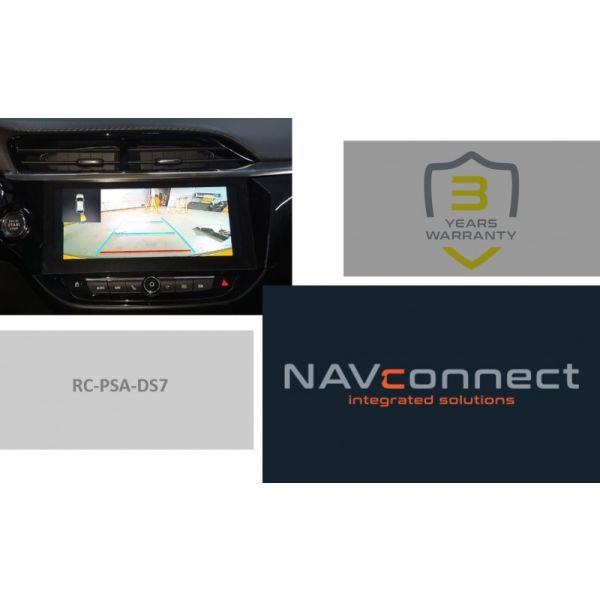
- Adjustable parking lines


The NavInc interfaces are no navigation systems or screens to replace the navigation system. The NavInc interfaces enable the possibilities to connect different Audio/Video sources to the navigation system.
C5-X
2021-20..
- Open head-unit
- Coding needed
No - Head-unit
IVI Mid or High 12" touch - Harmann - Touch support
No - R-gear select
Lamp & CAN - iPAS lines
- Picture in Picture (PiP)
- I-DRV
- Guide lines
- CVBS signal
NTSC - Rear camera input
- Signal
APIX - HSD - Activation
OEM & Trigger - A/V output
- A/V input
- HDMI input
- LVDS input
- RGB input
- Front camera input
C4-E
2021-20..
- Open head-unit
- Coding needed
No - Head-unit
IVI Mid or High 12" touch - Harmann - Touch support
No - R-gear select
Lamp & CAN - iPAS lines
- Picture in Picture (PiP)
- I-DRV
- Guide lines
- CVBS signal
NTSC - Rear camera input
- Signal
APIX - HSD - Activation
OEM & Trigger - A/V output
- A/V input
- HDMI input
- LVDS input
- RGB input
- Front camera input
DS7
2022-20..
- Open head-unit
- Coding needed
No - Head-unit
IVI Mid or High 12" touch - Harmann - Touch support
No - R-gear select
Lamp & CAN - iPAS lines
- Picture in Picture (PiP)
- I-DRV
- Guide lines
- CVBS signal
NTSC - Rear camera input
- Signal
APIX - HSD - Activation
OEM & Trigger - A/V output
- A/V input
- HDMI input
- LVDS input
- RGB input
- Front camera input
DS9
2020-20..
- Open head-unit
- Coding needed
No - Head-unit
IVI Mid or High 12" touch - Harmann - Touch support
No - R-gear select
Lamp & CAN - iPAS lines
- Picture in Picture (PiP)
- I-DRV
- Guide lines
- CVBS signal
NTSC - Rear camera input
- Signal
APIX - HSD - Activation
OEM & Trigger - A/V output
- A/V input
- HDMI input
- LVDS input
- RGB input
- Front camera input
DS9
2022-20..
- Open head-unit
- Coding needed
No - Head-unit
IVI Mid or High 12" touch - Harmann - Touch support
No - R-gear select
Lamp & CAN - iPAS lines
- Picture in Picture (PiP)
- I-DRV
- Guide lines
- CVBS signal
NTSC - Rear camera input
- Signal
APIX - HSD - Activation
OEM & Trigger - A/V output
- A/V input
- HDMI input
- LVDS input
- RGB input
- Front camera input
Avenger
2022-20..
- Open head-unit
- Coding needed
No - Head-unit
IVI Mid - Touch support
No - R-gear select
Lamp & CAN - iPAS lines
- Picture in Picture (PiP)
- I-DRV
- Guide lines
- CVBS signal
NTSC - Rear camera input
- Signal
APIX - HSD - Activation
OEM & Trigger - A/V output
- A/V input
- HDMI input
- LVDS input
- RGB input
- Front camera input
308
2022-20..
- Open head-unit
- Coding needed
No - Head-unit
iCONNECT 10" HD touch - Harmann - Touch support
No - R-gear select
Lamp & CAN - iPAS lines
- Picture in Picture (PiP)
- I-DRV
- Guide lines
- CVBS signal
NTSC - Rear camera input
- Signal
APIX - HSD - Activation
OEM & Trigger - A/V output
- A/V input
- HDMI input
- LVDS input
- RGB input
- Front camera input
408
2022-20..
- Open head-unit
- Coding needed
No - Head-unit
NOT TESTED - Touch support
No - R-gear select
Lamp & CAN - iPAS lines
- Picture in Picture (PiP)
- I-DRV
- Guide lines
- CVBS signal
NTSC - Rear camera input
- Signal
APIX - HSD - Activation
OEM & Trigger - A/V output
- A/V input
- HDMI input
- LVDS input
- RGB input
- Front camera input
|
AUDIO OUTPUT |
The interface inserts ONLY video signals into the infotainment. It is essential to have an Aux-in, when using audio from an external AV source. |
|
CVBS |
Only compatible with NTSC sources. |
|
LVDS |
Not available |
|
SCREEN |
Interface is compatible with IVI Mid or High 12" touch - Harmann monitors |
|
FRONT CAMERA |
The front camera input will automatically switch after leaving the reverse gear. You can set the display time in seconds via the OSD menu (1-15 sec). |
|
OEM REAR CAMERA |
The interface does not switch back automatically to the OEM rear camera input when the reverse gear is engaged. |
|
GUIDELINES |
iPAS & Static lines are available via the interface OSD menu |
|
iPAS |
iPAS option is available (moveable grid lines) |
|
PIP |
PiP option is available for original parking sensor overlay (Picture in Picture) |
|
REAR SELECT CAMERA INPUT |
When interface won’t respond on reverse CAN, please use the 12V reverse detection wire (grey wire) |
|
INSTALLATION |
We recommend that the installation will be performed by a qualified specialist |
Package:
- Power cable (HARETC0250 K): 1x
- Multi cable (HARETC0324): 1x
- LVDS cable (HLCCA0005): 1x
- Remote (REMOTE0001): 1x
- IR eye (HIRCAB0002) 1x
- Interface module: 1x
- Manual: 1x
- Service instructions: 1x
Start a Conversation
Hi! Click one of our members below to chat on WhatsApp
- The team typically replies in a few minutes.
- HeesterbeekEdwinOnline